[Podcast API] Playlist Curation API, Faster Testing, and Updated SDKs
We've added playlist editing to the Podcast API, made it faster to try requests in the browser, introduced a new OpenAPI explorer, and updated our SDKs across all supported languages.
Build podcast curation into your own product
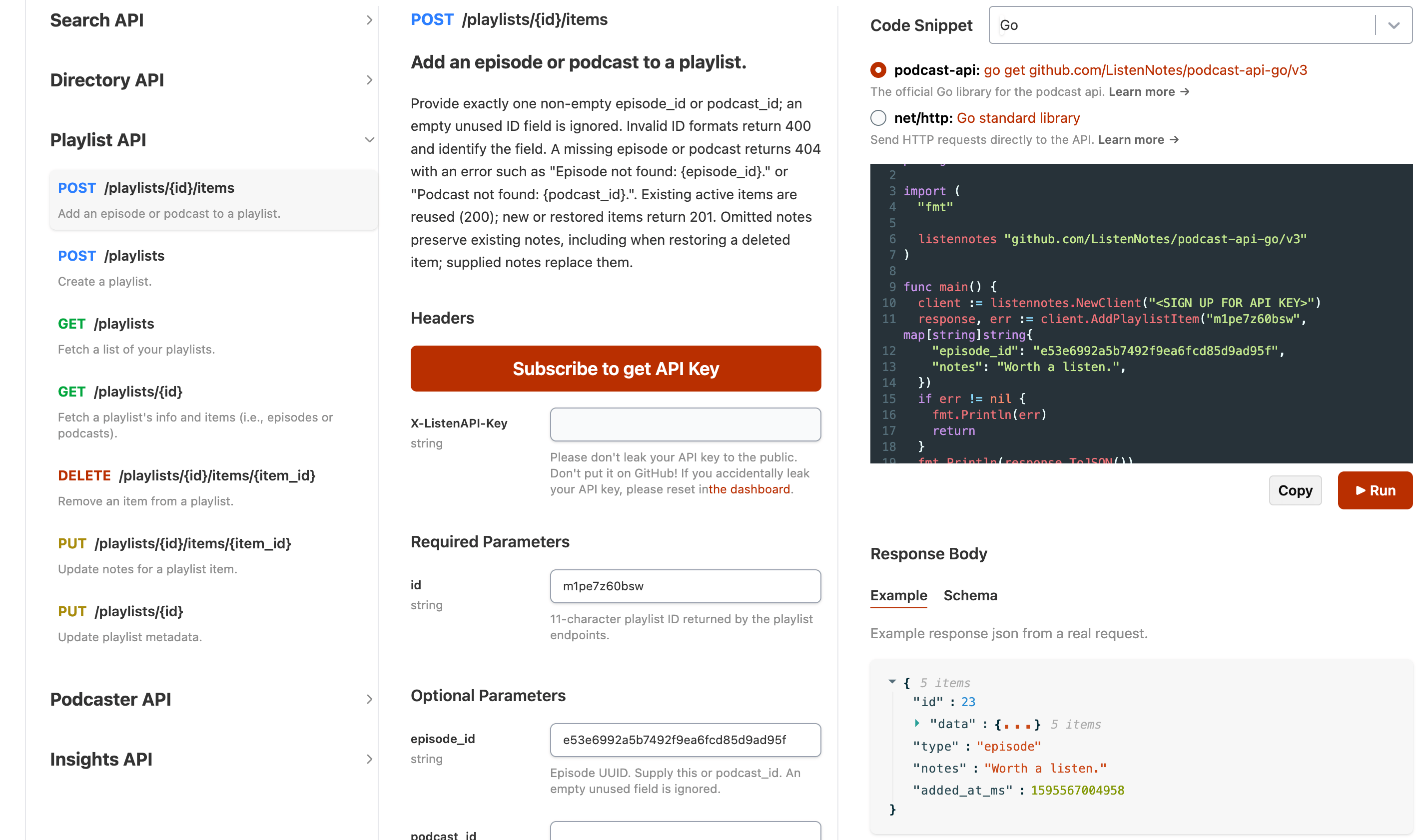
Five new endpoints let you create and maintain podcast and episode collections through the API:
- Create a playlist:
POST /api/v2/playlists - Update its name, description, visibility, or default episode/podcast view:
PUT /api/v2/playlists/{id} - Add an episode or podcast, with optional curator notes:
POST /api/v2/playlists/{id}/items - Update or clear an item's notes:
PUT /api/v2/playlists/{id}/items/{item_id} - Delete an item from a playlist:
DELETE /api/v2/playlists/{id}/items/{item_id}
Together with the existing playlist read endpoints, this is a step toward a complete headless CMS for podcast curation. Listen Notes manages the collections and curator notes; you decide how to present them in your website or app. Editors can curate in Listen Later or through your own interface, and your application can retrieve the results through the API.
For example, you can build:
- Editorial topic pages with handpicked podcasts and episodes, plus notes explaining why each selection matters.
- Podcast newsletters and weekly listening guides backed by a collection that editors can keep up to date.
- Learning and research libraries that organize episodes around a course, project, or area of interest.
- Curated discovery experiences in your own app, with collections for different audiences or interests.
Choose public, unlisted, or private visibility for each collection. Only playlists owned by your admin API account can be modified. Keep your API key on your application's backend when building your own editing interface.
Explore the playlist endpoints and examples →
Faster testing directly in the API docs
The interactive API docs now send test requests directly from your browser. Fill in the parameter fields, select your API key, and click Run to see the real response.
The displayed code snippet is read-only and stays in sync with your inputs. Switch languages and libraries to find the example you need, then use Copy to take it into your project. Run uses the same browser request flow whichever language is displayed.
Results show the HTTP status, request duration, JSON response, and available quota, usage, API latency, and next billing date headers. You can also select the mock server to try requests with sample data. Running a write endpoint against the real API changes your account's data.
Endpoint groups are now collapsible, making it easier to focus on the endpoint you're exploring.
A new OpenAPI explorer
Our new OpenAPI HTML explorer, powered by Scalar, offers another way to browse endpoints, inspect parameters and schemas, and try requests. When you're signed in and have API keys, you can select a key to test requests directly in the explorer.
We've also simplified the Markdown API reference: it keeps the full reference and data examples, with links to SDK method documentation instead of long executable code samples.
Updated SDKs across all supported languages
The updated SDKs support the new playlist operations, with refreshed dependencies, examples, and tests. Find installation instructions and method examples for each language:
- JavaScript / Node.js / Cloudflare Workers — 3.0.2
- Python — 3.0.0
- Ruby — 3.0.0
- PHP — 3.0.0
- Rust — 3.0.0
- Go — v3.0.0
- Swift — 3.0.0
- .NET — 3.0.0
- Java — 3.0.0
- Kotlin — updated examples using Java SDK 3.0.0
- Scala — updated examples using Java SDK 3.0.0
Check the linked READMEs for each SDK's runtime requirements and upgrade instructions. Kotlin and Scala use the shared Java SDK.
Our Podcast API skill for AI coding agents, llms.txt, and full agent reference now cover these SDK versions and the playlist curation workflow, too.
-
Listen Notes
The best podcast search engine
-
Podcast API
The Best Podcast API for Search, Directory, and Insights
-
CurateKit
The easiest way to curate and publish digital content
-
Listen411
Lightning fast and affordable Podcast Transcription and Summarization
-
microfeed
A lightweight cms self-hosted on Cloudflare. Open Source. Serverless.