


Back to Listen Notes Changelog
[Listen Notes] Show Latest Episodes in Your Listen Later Podcast Playlist Embeds
Our Listen Later playlists have always been a great way to curate your favorite shows and episodes. Previously, when a playlist contained multiple podcasts, the embed widget would only display the shows by default.
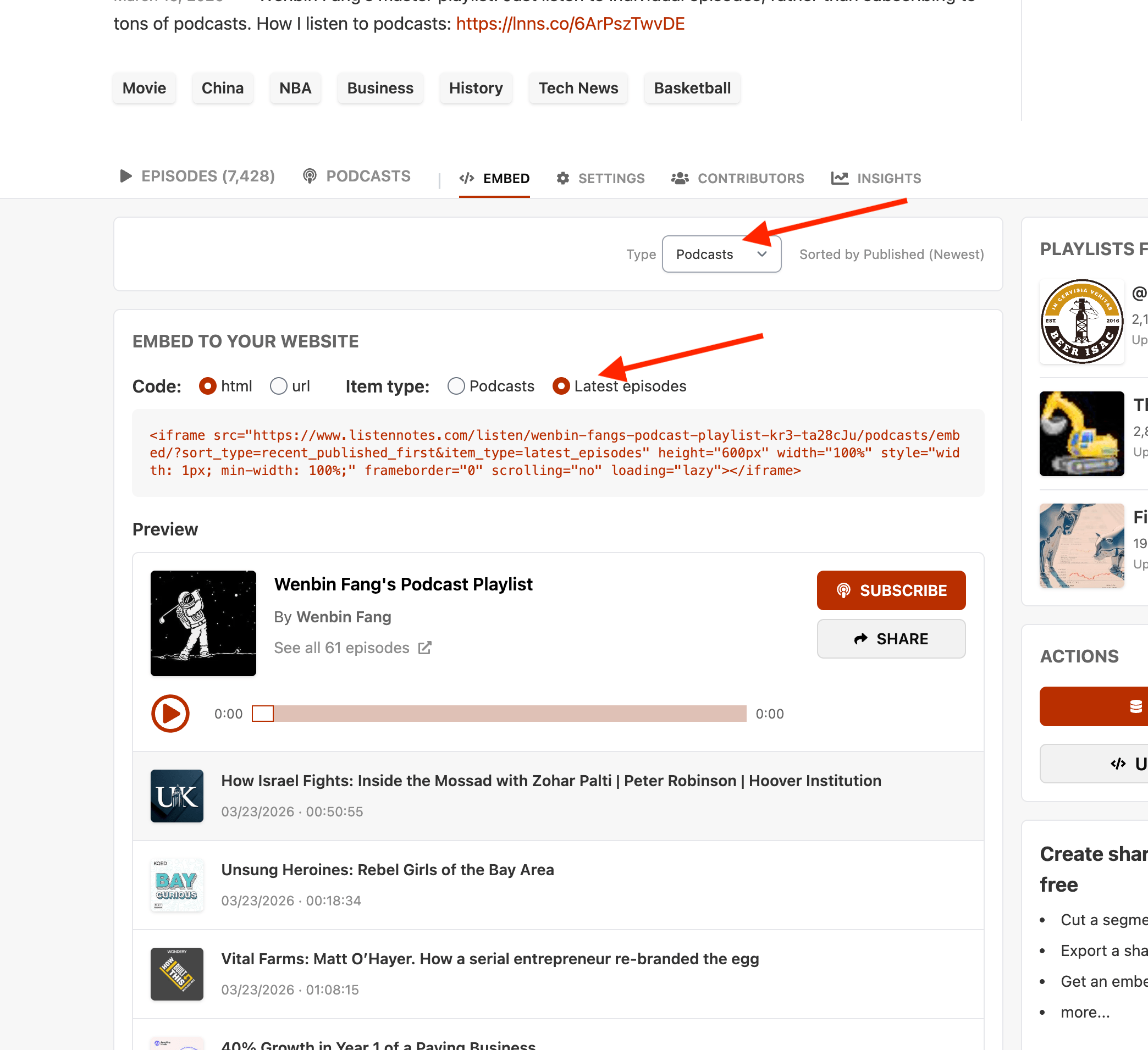
We’ve just added support for Latest Episodes! This is a game-changer for podcast networks or curators who want a single, dynamic widget that automatically updates with the freshest content across multiple curated podcasts.
How to enable it:
1) Open your playlist and head over to the EMBED tab.
2) Under the Item type dropdown, select "Latest episodes."
4) Copy your embed code.